
7U777 register: a calm lesson on opening your first account
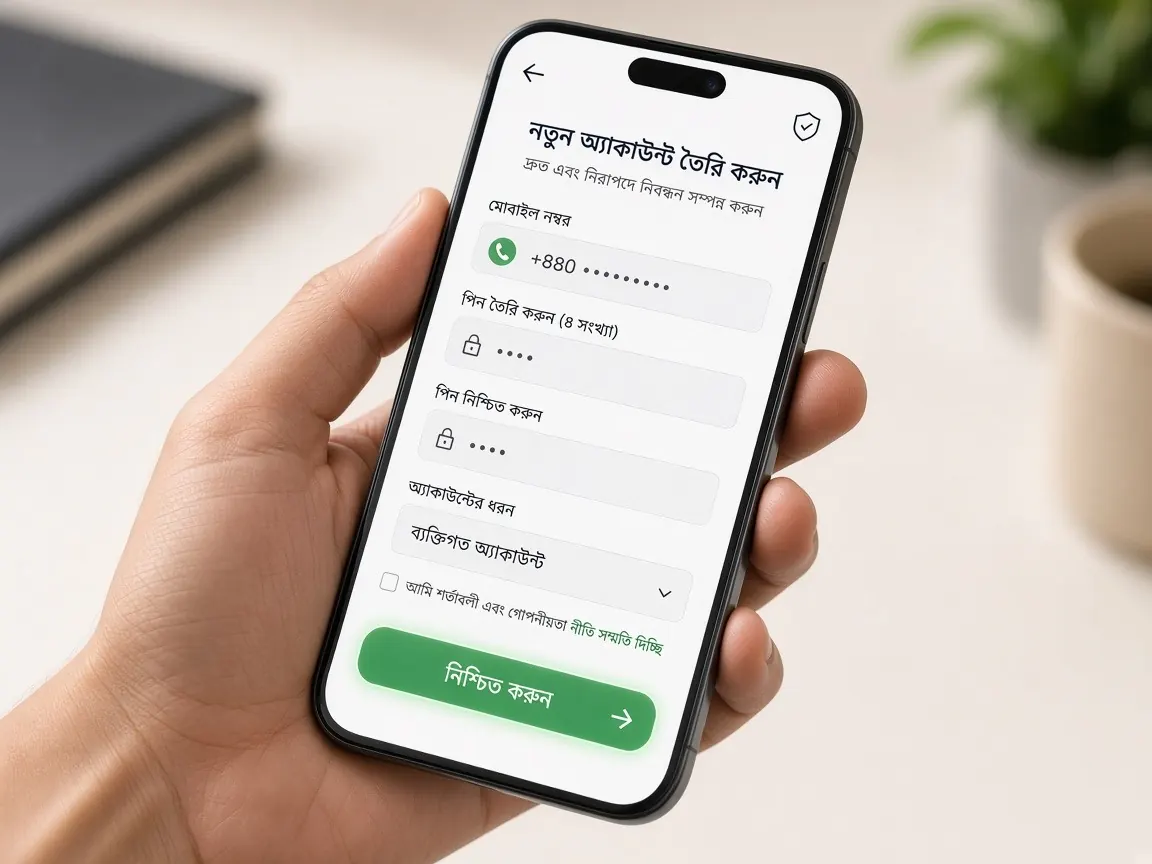
Never opened an online gaming account before? No problem. Filling in a form usually takes just a few minutes, but rushing can cause trouble with login or withdrawals later. So in this lesson we'll go through every box one by one. Remember, this guide site has no form. Registration happens only in the official lobby, and we don't own that lobby.
Ask yourself three questions before you start
- Am I 18 or older? If not, you can't open an account, and you shouldn't try.
- Is the mobile number my own, and is it active? Your OTP will come to this number, and you'll need it to recover your password in future.
- Do I have bKash, Nagad or Rocket in my own name? Later, when you deposit and withdraw, a wallet in your own name makes verification easier.
Every box on the form: what to type and why
When you tap the lobby's "Register" or "Sign up" button, a form will open. The box names may be slightly different, but usually you'll see these:
- Mobile number: the country code is usually already filled in. Type the rest of the number carefully and check it once. If one digit is wrong, the OTP will go to someone else's phone.
- Username (if asked): choose a name you can remember. It's better not to use your full name or date of birth.
- Password: use a fairly long password that mixes letters and numbers. Don't reuse your Facebook or email password.
- Confirm password: you type the same password again so typing mistakes get caught.
- Referral or invite code (optional): if someone gave you a code you can enter it here; if not, leave it empty. If anyone asks for money in exchange for a code, stay away.
- Age and terms tick box: before you tick it, read through the rules at least once. Ticking means you agree.
What does a good password look like?
Beginners often use "123456", their own name or the last digits of their mobile number as a password. Others can guess these easily. An easy trick: think of a short sentence only you know, take the first letter of each word, and add a few numbers in between. That makes the password easy for you to remember and hard for others to guess. If you write your password on paper, don't keep it inside your phone cover or anywhere others can see it.
Verifying your number with OTP
Before or after you submit the form, a one-time code (OTP) may arrive on your phone. Type the code into the lobby's box to confirm. Codes usually work for only a short time, so don't wait too long. If it doesn't arrive, wait a minute or two and ask for it to be sent again. Don't tell this code to anyone. The real support team never asks for your OTP or password.
What you'll see after registering
If it works, you're usually taken straight to the lobby's home screen, with a zero balance at the top. You don't need to deposit money right away. First, go to your profile and check that your number is correct. Then log out once and log back in. This makes sure you remember your password. Login details are in the login lesson.
Set your own limits on the day you open your account
In the excitement of a new account, many people deposit a large amount on the very first day. Before that, pause and decide: the most money you will spend on this entertainment each month, and how long you will play each day. Write these numbers down somewhere. If the lobby has a limit-setting option, use that too. See playing as entertainment, not as a way to earn money. More advice is on the responsible play page.
Common beginner mistakes
- Opening more than one account: keep just one account per person. Multiple accounts can be against the rules and can block withdrawals.
- Using a friend's or relative's number: this causes problems later if the names don't match during verification.
- Having an "agent" open the account for you: if someone opens an account on your behalf, they also keep your password. Open it yourself. Details in the agent warning.
- Registering on a fake link: the form may look the same, but the address can be different. See the lesson on spotting fake sites.
Which lesson comes next?
Once your account is ready, move forward slowly. First understand bonuses and wagering, then the deposit lesson. To learn about identity verification (KYC), see the verify account page.
Register at the official lobby
This site is not official; it is only for learning. Form fields and rules may change in the lobby. What the lobby shows is final. 18+ only. Please play responsibly.